
Prompt · Photography · Nano Banana
image_generation_prompt": { "subject": { "…
分类
图像提示
场景
—
使用量
0
好评率
100%
推荐模型
Nanobanana
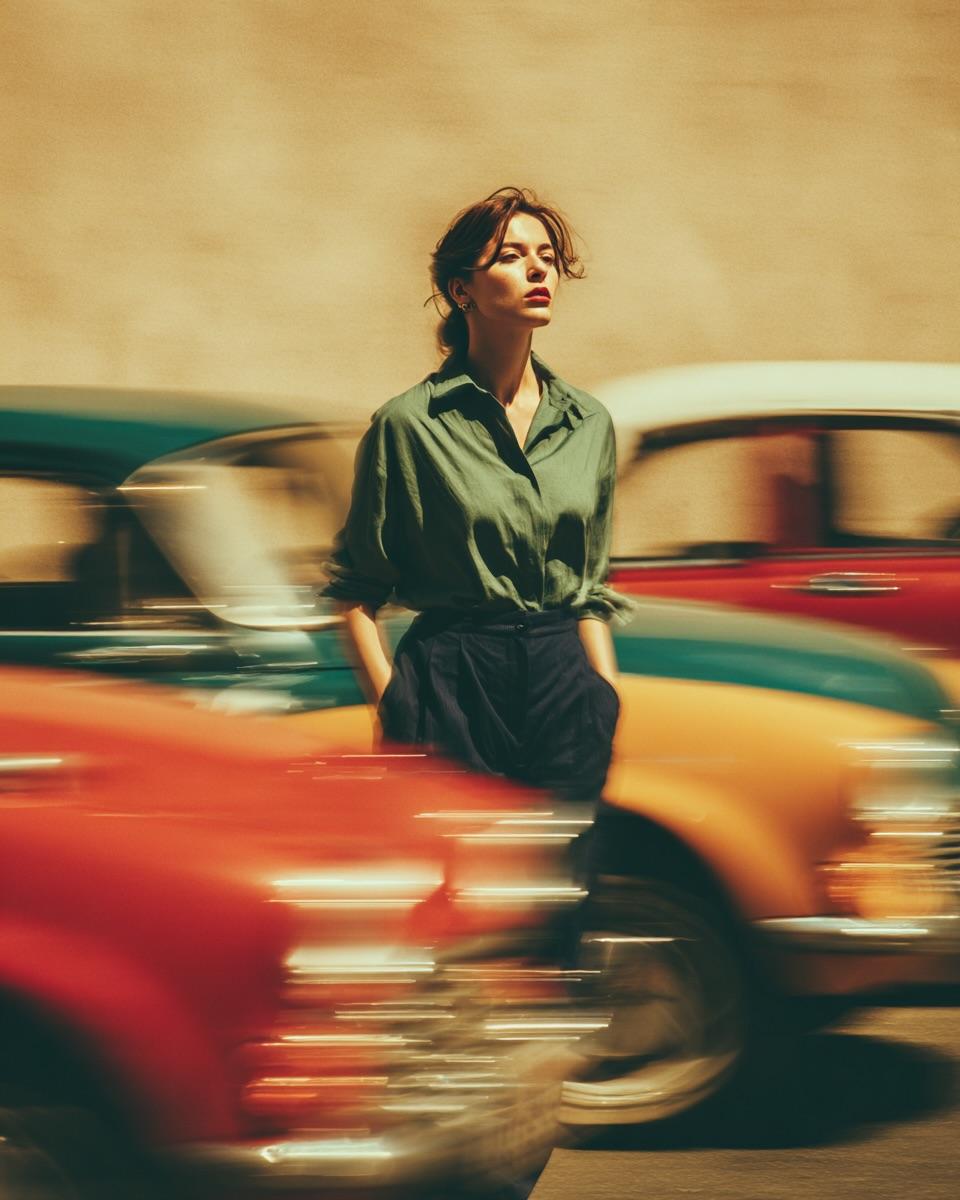
image_generation_prompt": { "subject": { "…
Prompt 提示词
{
"image_generation_prompt": {
"subject": {
"description": "Stylish woman",
"expression": "calm and confident",
"pose": "standing still, hands in pockets",
"attire": {
"top": "loose sage-green button-up shirt, tucked in",
"bottom": "high-waisted dark trousersn}n},
"scene_dynamics": {
"action": "vintage cars rushing past at high speed",
"effect": "dramatic motion blur trails, long-exposure photography effect, dynamic motion contrastn},
"environment": {
"setting": "Street portrait",
"atmosphere": "nostalgic, busy but focusedn},
"lighting_and_color": {
"lighting": "warm golden-hour lighting",
"color_palette": "muted retro palette",
"accents": "reds, teals, and yellows streaking across the framen},
"technical_specifications": {
"focus": "strong subject isolation, sharp focus on the woman, shallow depth of field",
"style": "cinematic realism, editorial fashion mood, nostalgic 1970s film look",
"texture": "soft grain, ultra-detailed",
"resolution": "high resolutionn}n}n}"}]
变量说明
{"top": "loose sage-green button-up shirt, tucked in",
"bottom": "high-waisted dark trousersn}
{"action": "vintage cars rushing past at high speed",
"effect": "dramatic motion blur trails, long-exposure photography effect, dynamic motion contrastn}
{"setting": "Street portrait",
"atmosphere": "nostalgic, busy but focusedn}
{"lighting": "warm golden-hour lighting",
"color_palette": "muted retro palette",
"accents": "reds, teals, and yellows streaking across the framen}
{"focus": "strong subject isolation, sharp focus on the woman, shallow depth of field",
"style": "cinematic realism, editorial fashion mood, nostalgic 1970s film look",
"texture": "soft grain, ultra-detailed",
"resolution": "high resolutionn}
使用说明
-
复制 Prompt
点击「一键复制」或手动选中代码框中的完整内容。
-
替换变量
将 {花括号} 中的占位符改为你的真实信息,保留结构与要求说明。
-
粘贴到 AI 工具
在 ChatGPT、Claude 等对话工具或 Midjourney 输入框中发送,按需要多轮微调。
评论讨论
暂无评论,欢迎分享你的看法。